Course visibility rules
Visibility decides who sees a course and how they can enrol. This article covers the three states and when each fits.
Before you start
You need the Admin or Instructor role on the course.
Step 1 — The three states
Draft is invisible to learners; only authors see it. Published is assignable by admins and via Group auto-enrol but hidden from the catalog. Public in catalog is self-enrollable by any learner allowed to see the catalog.
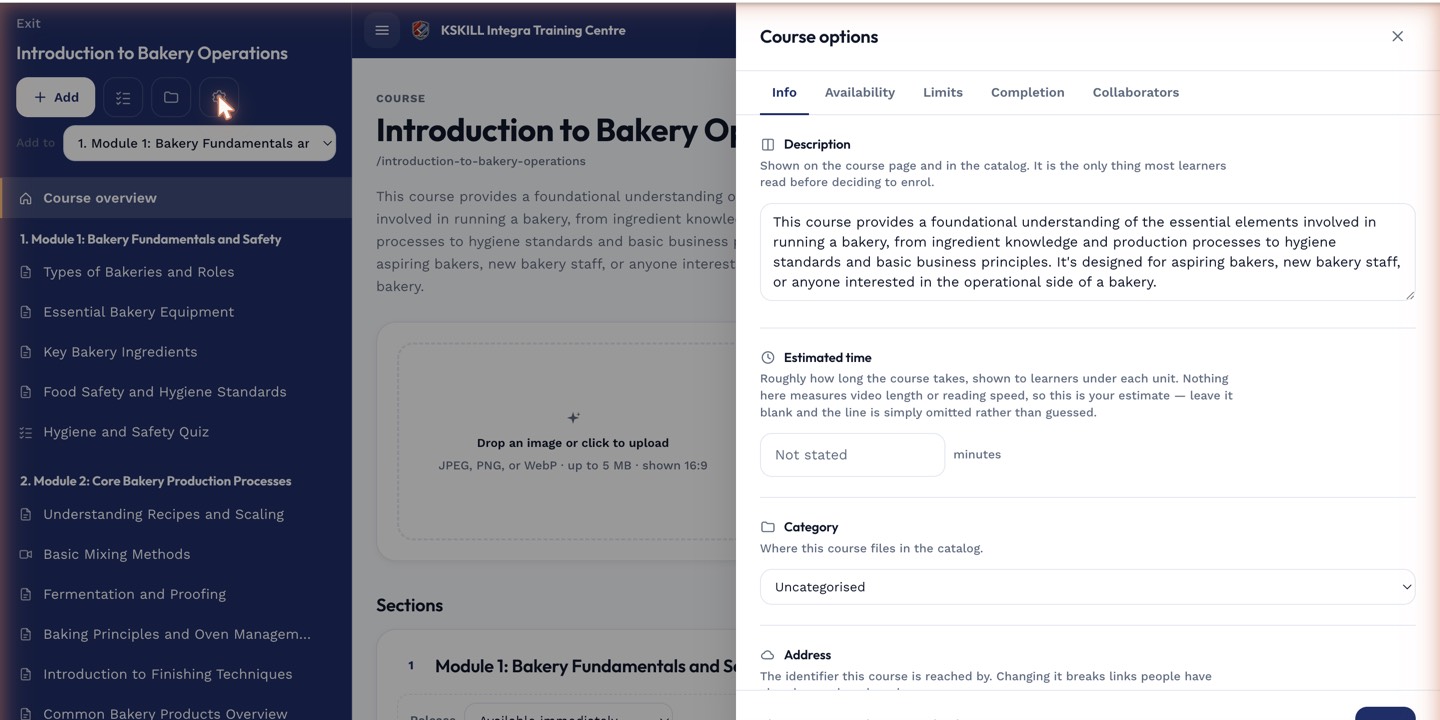
The options drawer is where every per-course rule lives — visibility, price, completion criteria, expiration.
Step 2 — Pick per audience
Assigned compliance training uses Published — you never want learners self-enrolling into it. Optional professional development uses Public in catalog. Work-in-progress content stays Draft until it's ready.
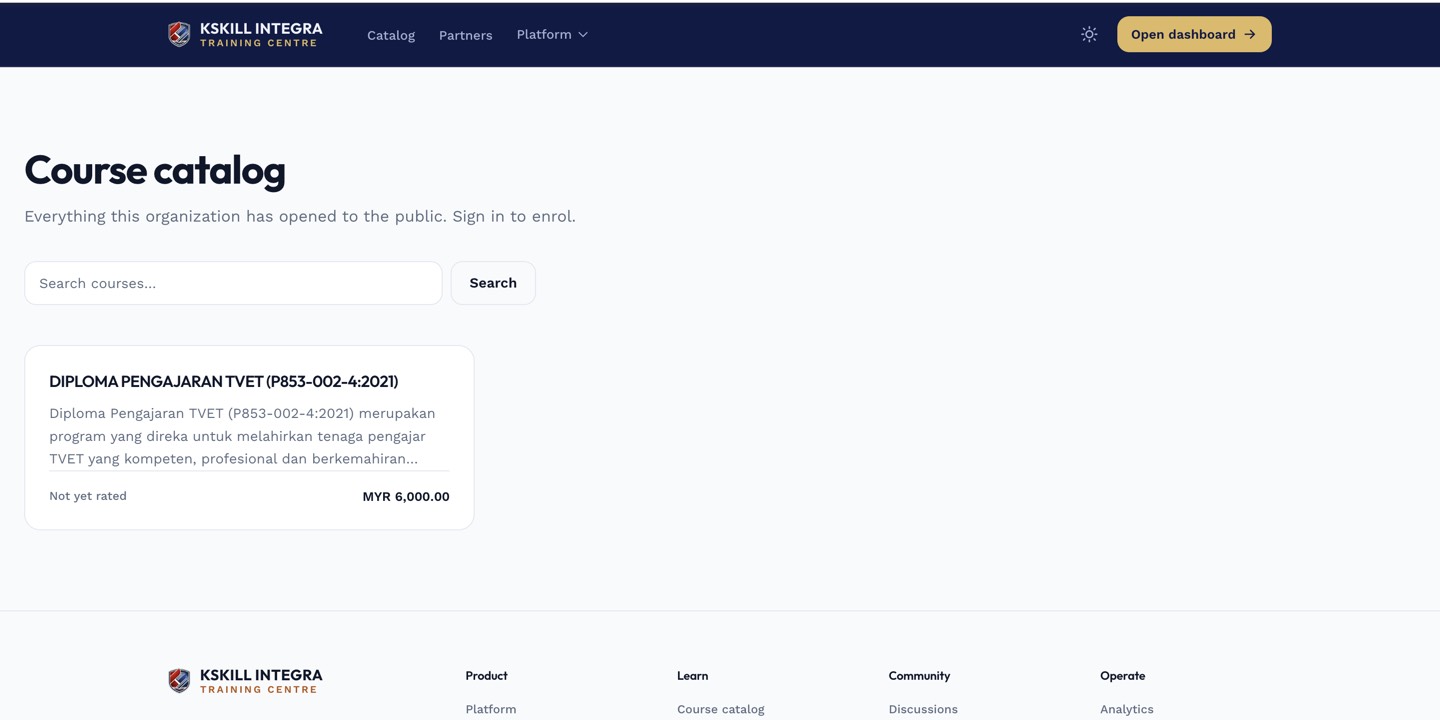
The catalog is the learner-facing shelf of everything a learner is allowed to self-enrol into.
Step 3 — Branch scoping
Public in catalog is scoped by branch. A learner on the KL branch sees only courses their branch has published. This lets one tenant run multiple catalogs from one install without cross-contamination.
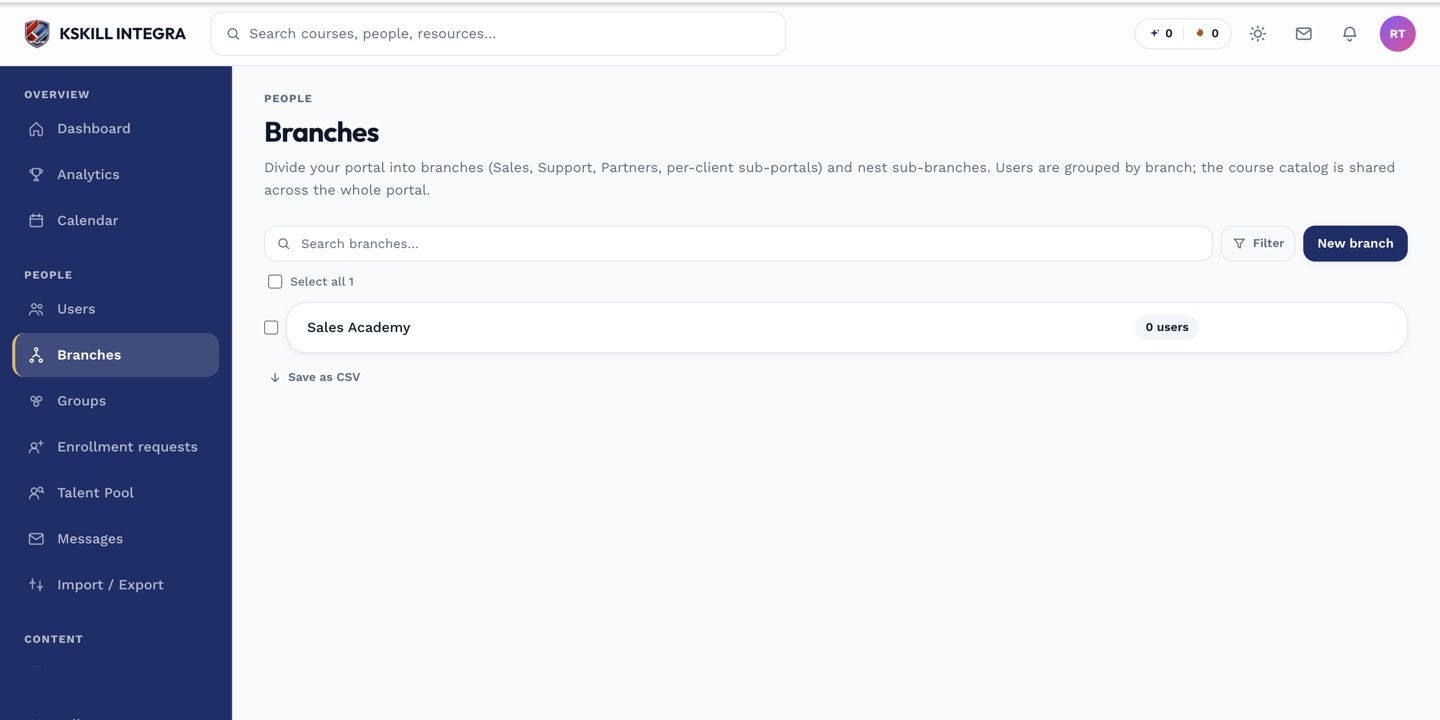
The Branches list is the roll-up view of every sub-portal on the tenant.
Notes
- Flipping to Draft after publish hides new enrolments but preserves existing ones.
- Some tenants add custom capability checks on top of visibility — check with your admin if a course you expect to see isn't there.