Create a Skill
Creating a skill defines what your tenant recognises as a capability. This article covers doing it manually and via the AI generator.
Before you start
You need the Admin role. Pick a category first — skills without categories are hard to find later.
Step 1 — Open the Skills manager
Open Content → Skills and click New skill. The drawer collects a name, a description, a category, and (optionally) a list of levels — e.g. Novice, Practitioner, Expert.
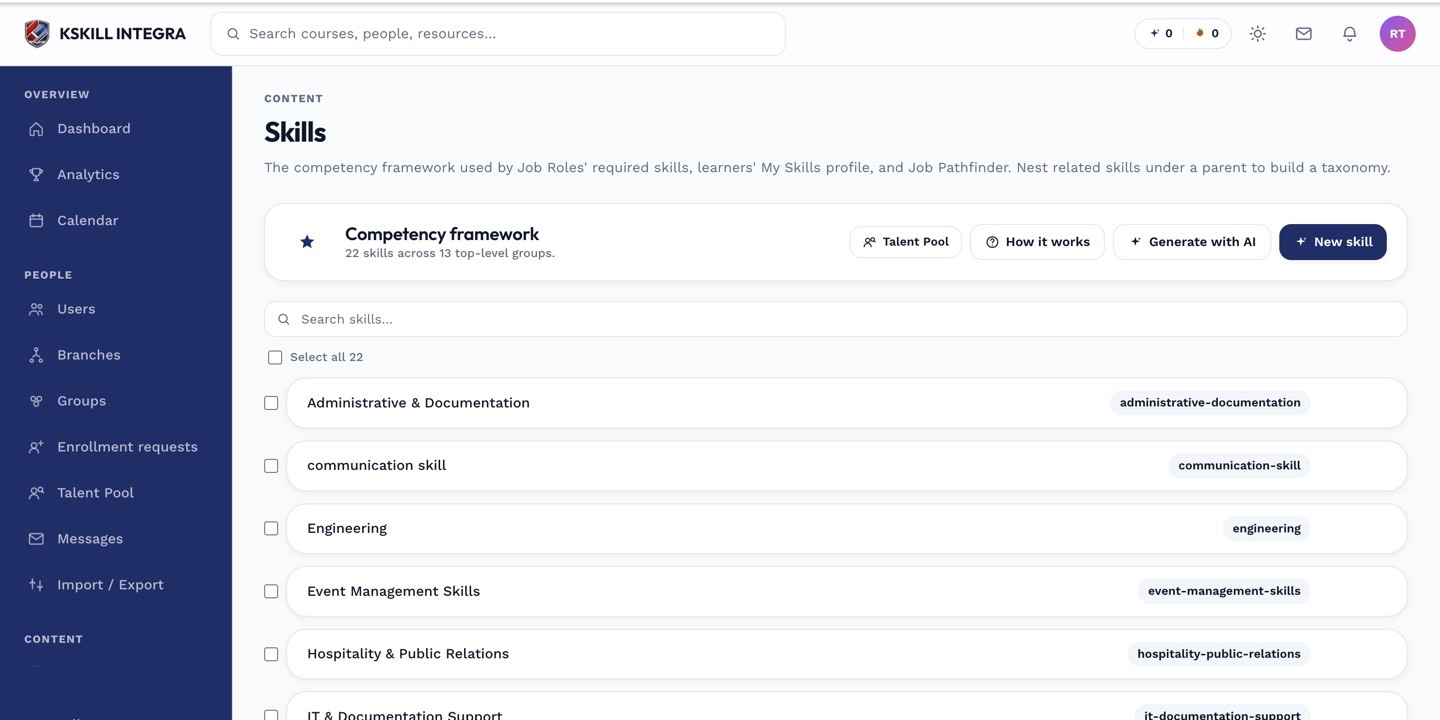
The Skills manager is the source of truth for every skill your tenant tracks.
Step 2 — Fill the skill drawer
Enter the name (e.g. SQL query authoring), pick a category, and write a one-paragraph description that explains what someone with this skill can do. If you use levels, define them here — the higher-level definition should be a strict superset of the lower.
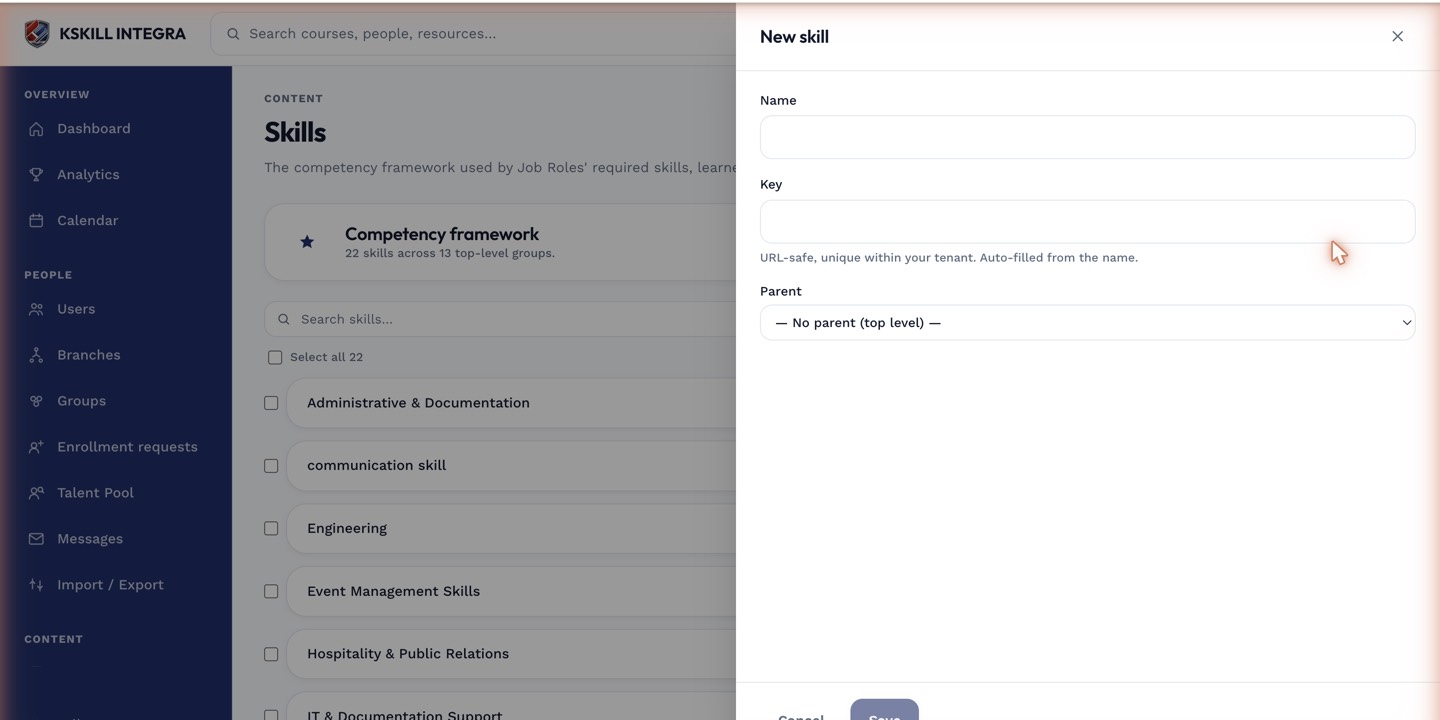
The skill drawer collects the description, category and (if levelled) the tier definitions in one place.
Step 3 — Attach the skill to a course
Skills are useful only when something grants them. Open a course, switch to the Skills tab, and attach the new skill. Completing the course now grants it. Repeat across every course that teaches the capability.
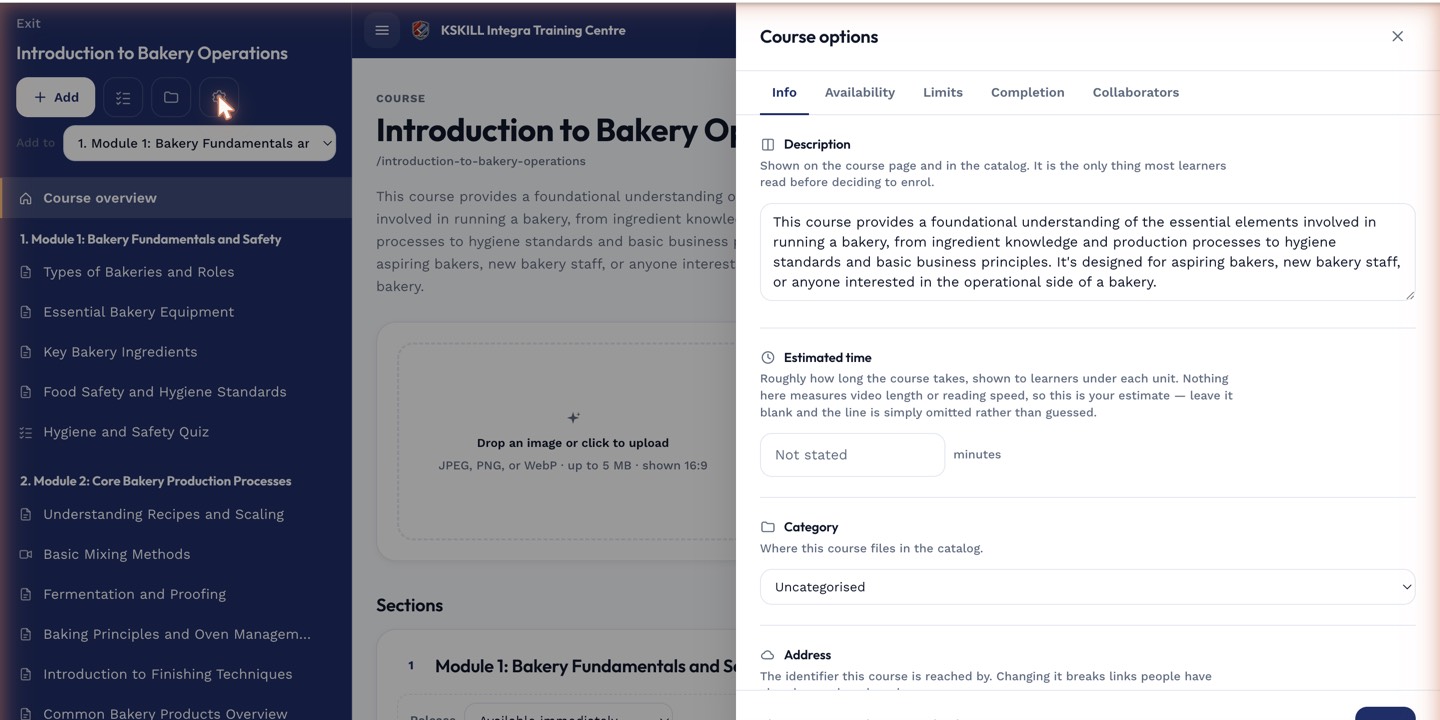
The options drawer is where every per-course rule lives — visibility, price, completion criteria, expiration.
Notes
- Skills without a grant path are cosmetic — nothing awards them and nothing consumes them.
- Delete only if truly unused; deletion revokes the skill from every current holder.