Creating a skill by hand
SkillsUpdated September 24, 2026
Not every skill needs an AI draft first. For a one-off addition, creating a skill directly from the Skills manager takes less than a minute.
Before you start
You need the Admin role and skills enabled for your tenant.
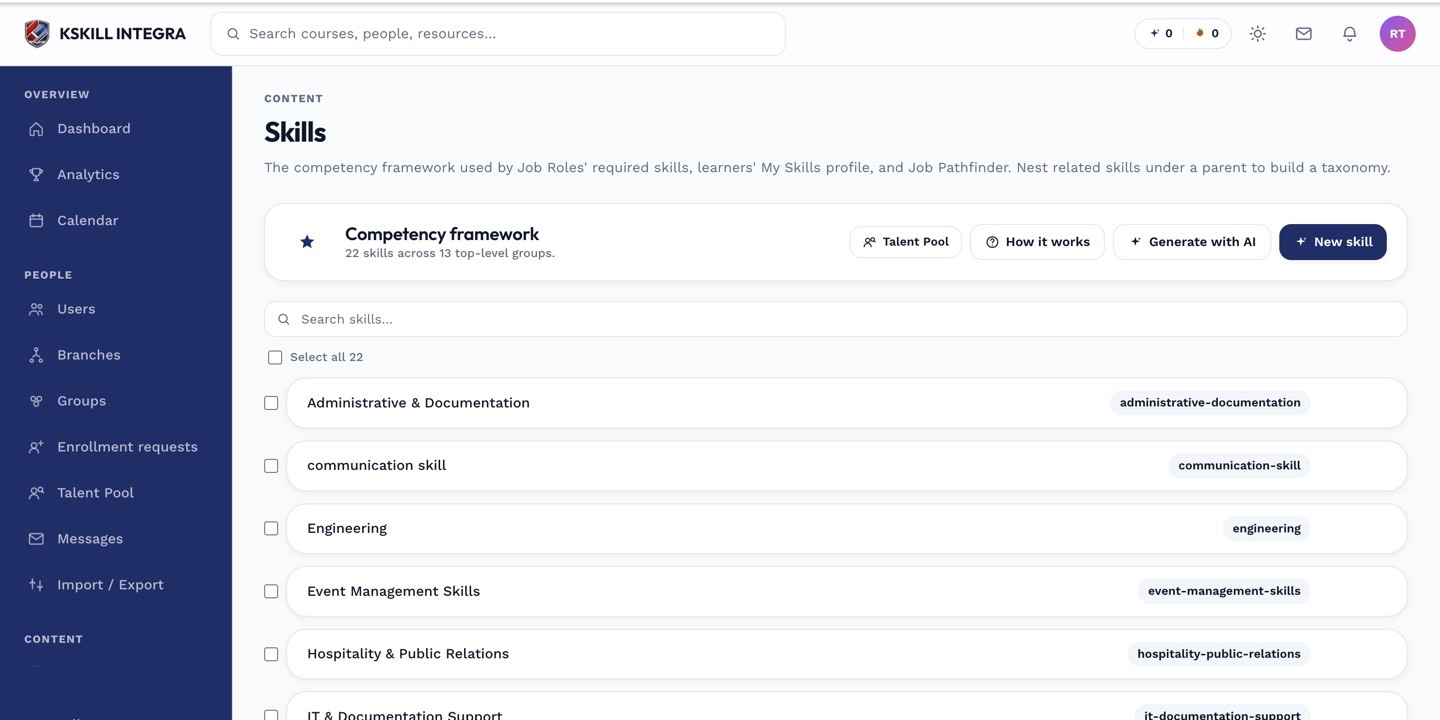 New skill sits next to AI generate at the top of the Skills manager.
Create the skill
- Open Manage → Skills.
- Click New skill.
- Name it clearly — this name is what shows up in job role bundles and the Talent Pool, so keep it short.
- Add a description learners will see on their own My Skills page.
- Define the levels (see skill levels explained) and, if it should expire when self-assessed, an expiration window.
- Save.
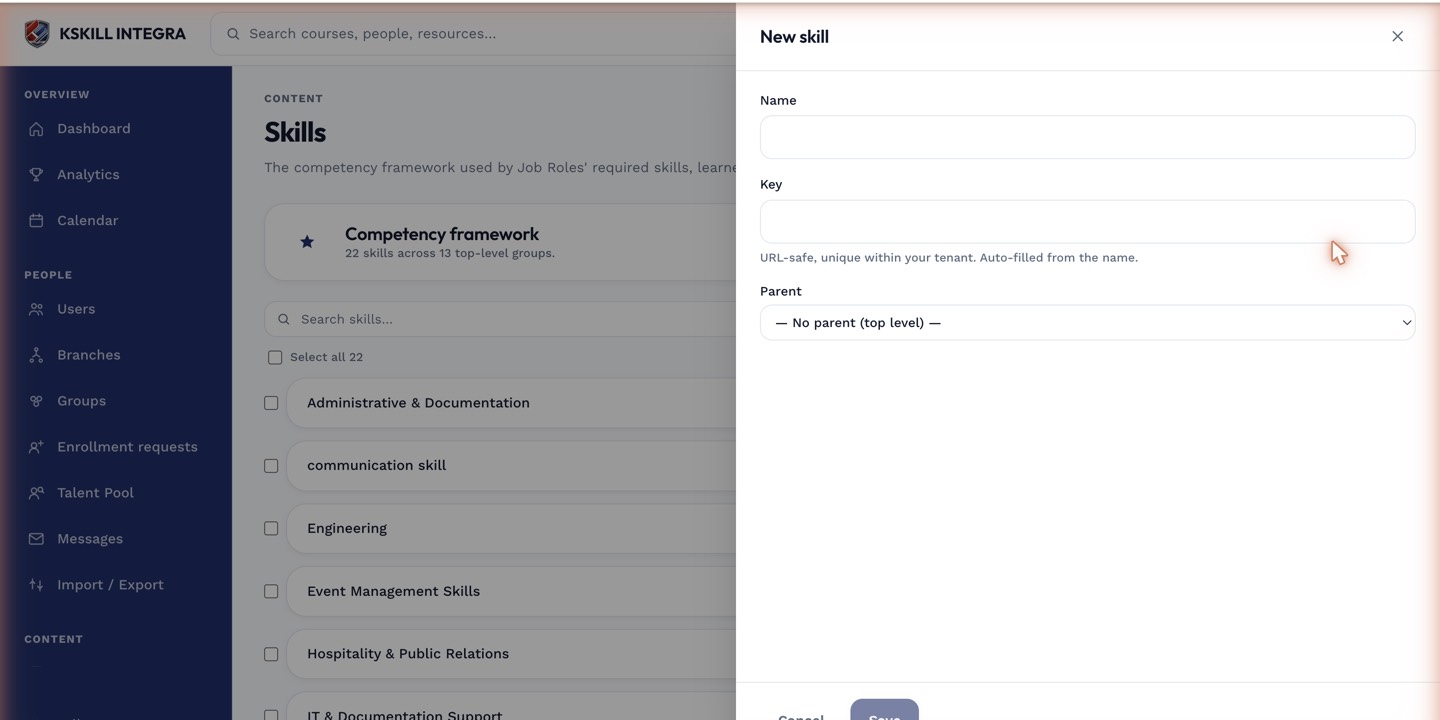 The same drawer is used whether you are creating a skill from scratch or editing one later.
Notes
A newly created skill has no holders yet — creating it only adds it to the taxonomy. You still need to grant it to learners through one of the three paths in the skills overview.
What next?
#skills#taxonomy#how-to