AI in KSKILL Integra
AI in KSKILL Integra drafts skills, courses, quizzes and lesson content. This tour covers what each feature does and how they share credentials.
Before you start
You need the Admin role. AI features need a provider configured — Anthropic, OpenAI, Gemini, DeepSeek or a self-hosted endpoint.
Step 1 — See what's wired to AI
Open Configuration → Settings and pick AI. The Where used list on the provider card shows every feature that will start working the moment you save credentials — skill generation, course outlines, quiz drafting, lesson content.
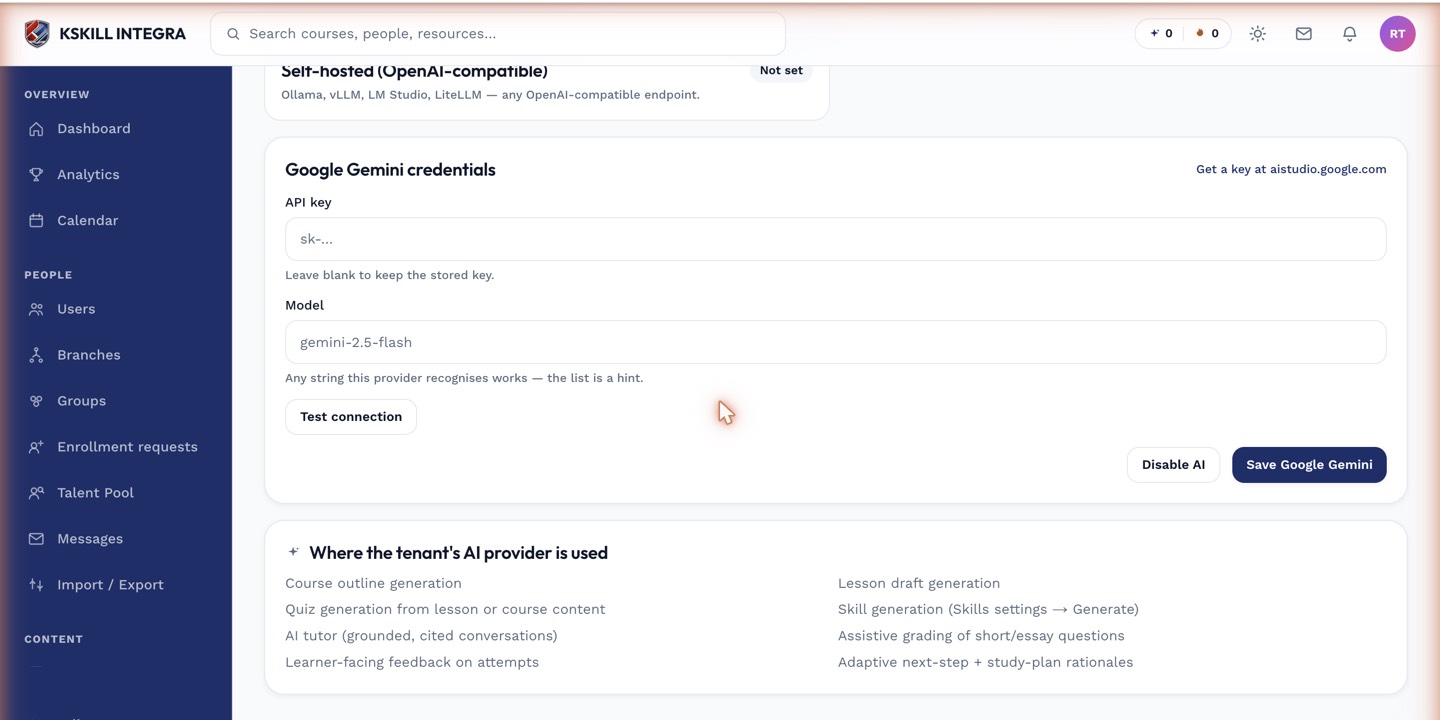
The provider form is the single place every AI feature gets its credentials — the 'where used' list tells you exactly what will start working.
Step 2 — Track your usage
Every generation consumes credits. Open the AI Credits page to see your balance, the recent history and the biggest consumers. The credits page is where you spot runaway generations before they hurt.
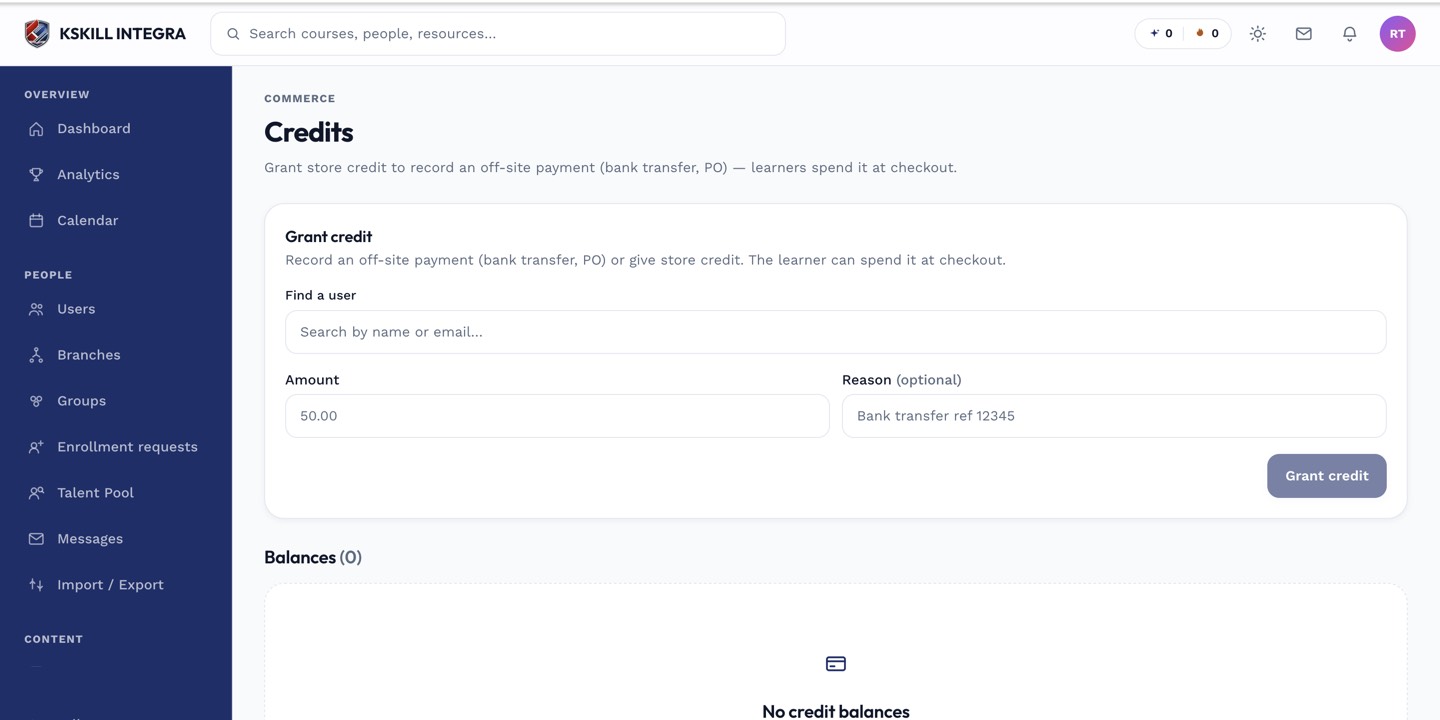
The credits page tells you exactly how much AI capacity remains and where it went.
Step 3 — Pick your provider per tenant
The AI vendor is a tenant choice, not a deployment-wide one. Different tenants on the same install can use different providers with their own keys. Rotate providers by dropping in new credentials — every feature picks up the change transparently.
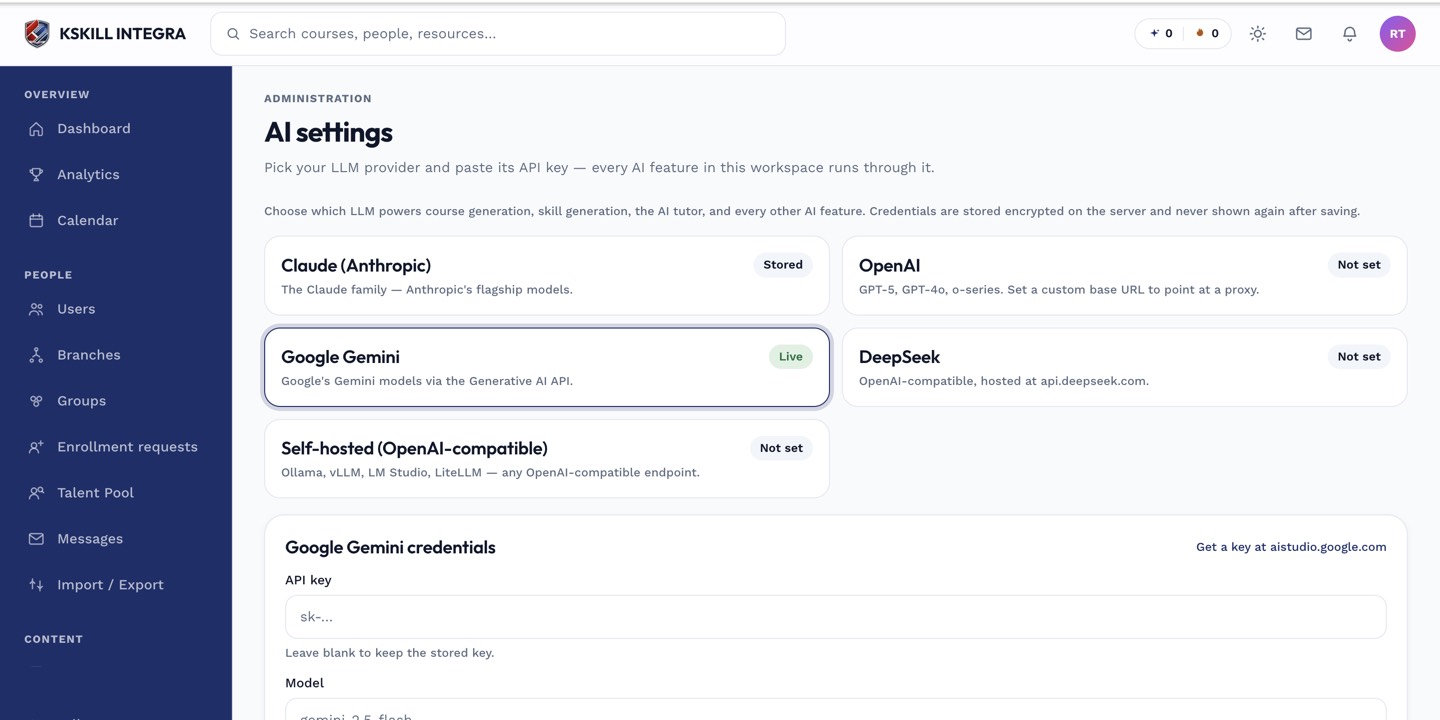
The AI settings page is where every AI-powered feature gets its credentials.
Notes
- Every AI generation is async — big drafts queue via the ai.generate worker.
- Nothing is created until you Apply a generated draft — the drawer is always a preview.