Group ownership
Group owners get elevated rights within their group without needing full admin. This article covers what an owner can do.
Before you start
You need to be nominated as the owner of at least one Group.
Step 1 — See groups you own
Open People → Groups. Groups you own are flagged with an owner badge. The overflow menu on those groups includes actions only owners see.
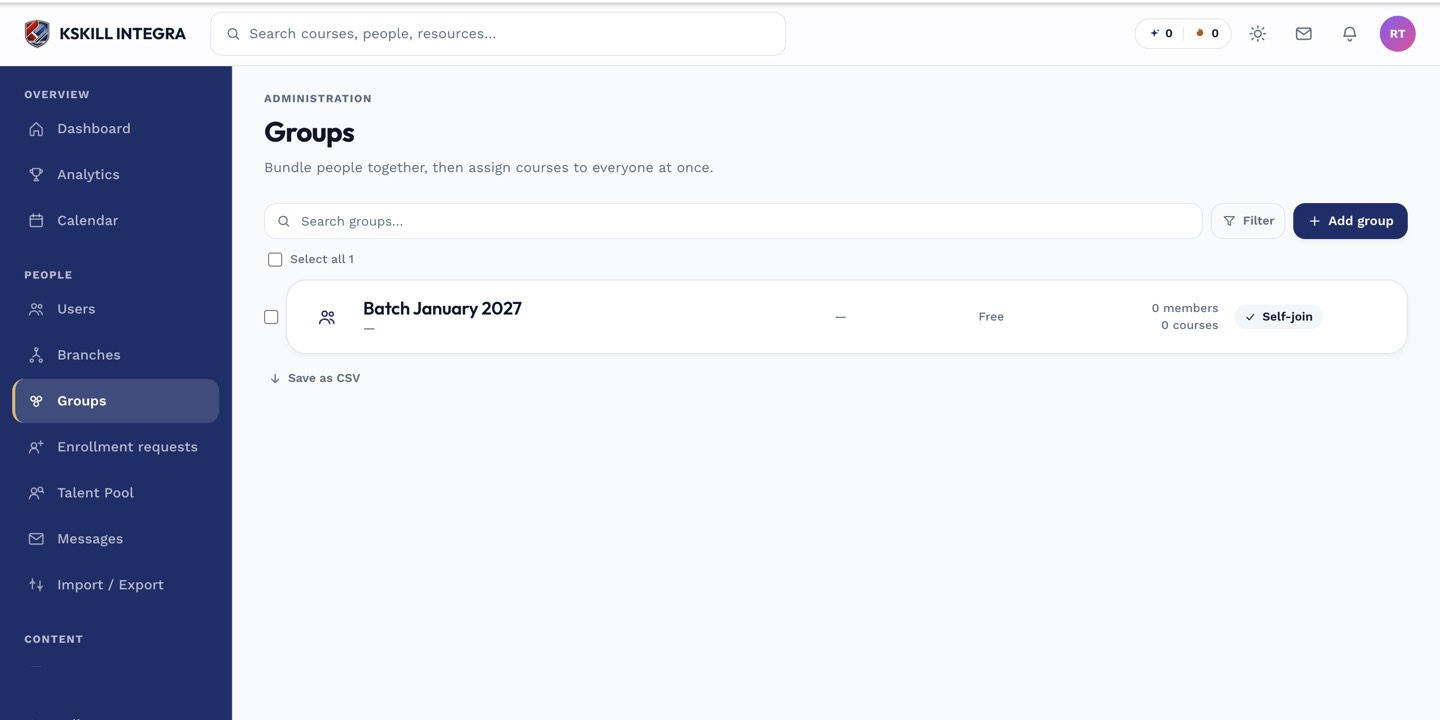
Every group management task starts from this list.
Step 2 — Manage members and courses
As owner, you can add and remove members, attach and detach courses, and broadcast messages to the whole group. You cannot delete the group — that stays with admins.
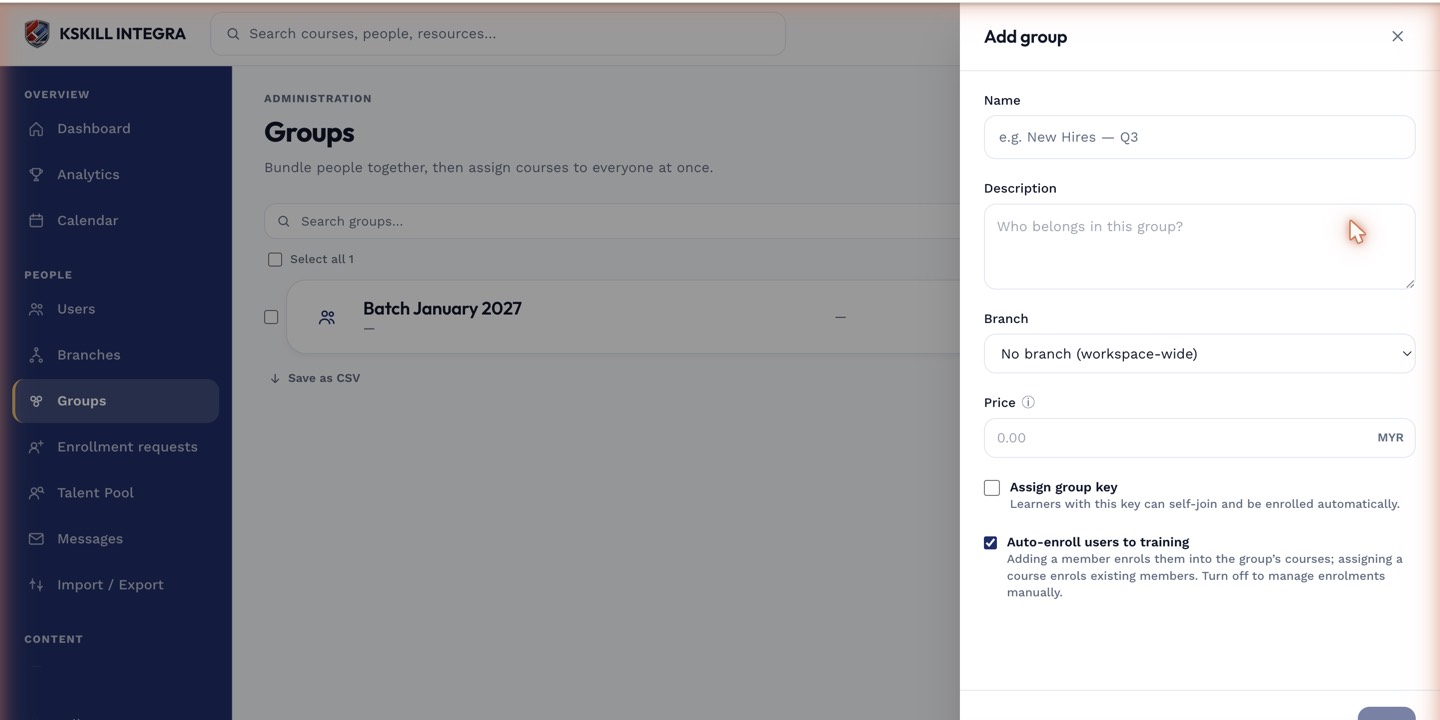
The drawer collects the metadata that decides how the group behaves.
Step 3 — Delegate or transfer
You can nominate co-owners from the Info tab. Transferring ownership is an admin action; ask your admin if you're stepping away from a group you own.
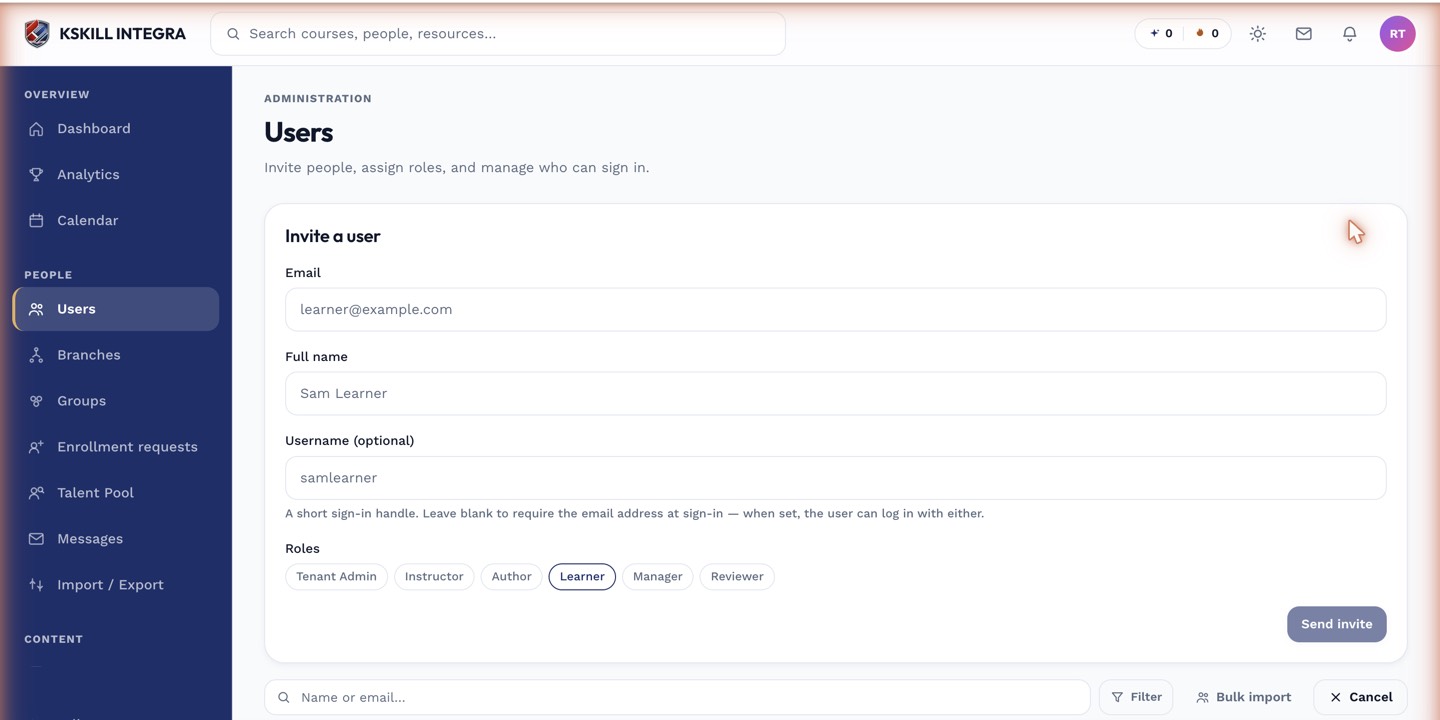
The invite drawer is the same shape whichever role you assign.
Notes
- Owners see full member analytics for their group but not other groups.
- Ownership does not confer admin rights outside the group.